
Reducing Photo Management Workflow by 70%
Hagerty Marketplace
Role & contributions
Lead Designer — concepting, enterprise UX, end-to-end user flow, prototyping, gathering user feedback, user testing
Impact
Internal enterprise tool that streamlined operational workflow, reducing photo file management time by 70%, equating to 100 hours saved per quarter

Managing photos was a bottleneck in auctions growth
Business problem: Publishing auction inventory requires the operations team to process large volumes of photos for listing galleries. The slower this happens, the fewer auctions go live which directly limits revenue.
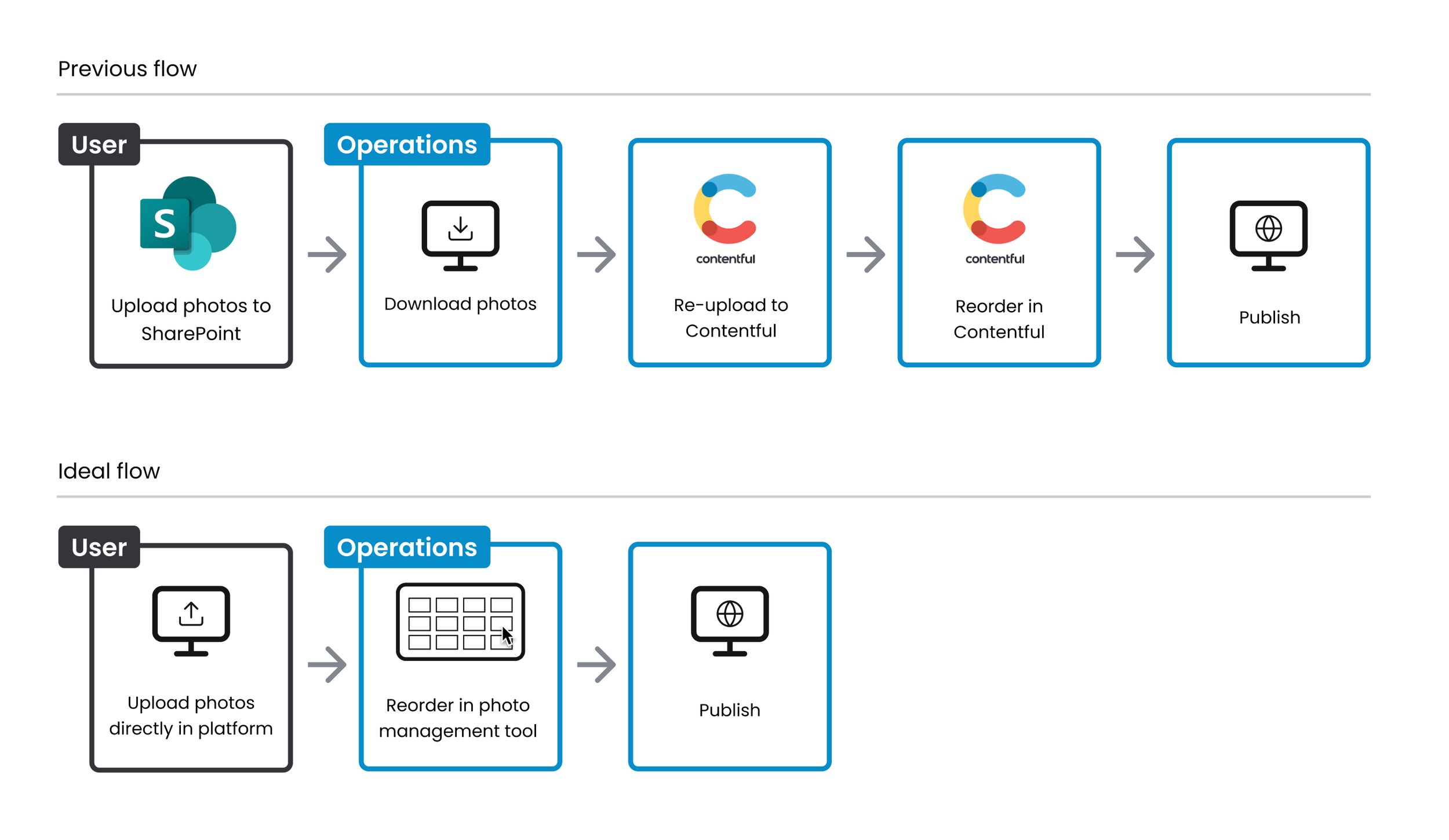
User problem: Photo management was split across two tools not designed for this use-case: Sharepoint for consignor submissions, and Contentful for internal processing, which caused friction at each step of the process.
Goal: We needed to consolidate the workflow within the product to eliminate third-party dependency and design an internal tool to more efficiently handle large volumes of photos so the operations team could allocate their time for more high-value tasks that directly support product growth.
Frictions in the previous tools
Consignors submitted photos through Sharepoint, a third-party tool not built for customer-facing use and disconnected from internal admin software. Operations then processed those photos in Contentful, a content management system never meant for managing large volumes.
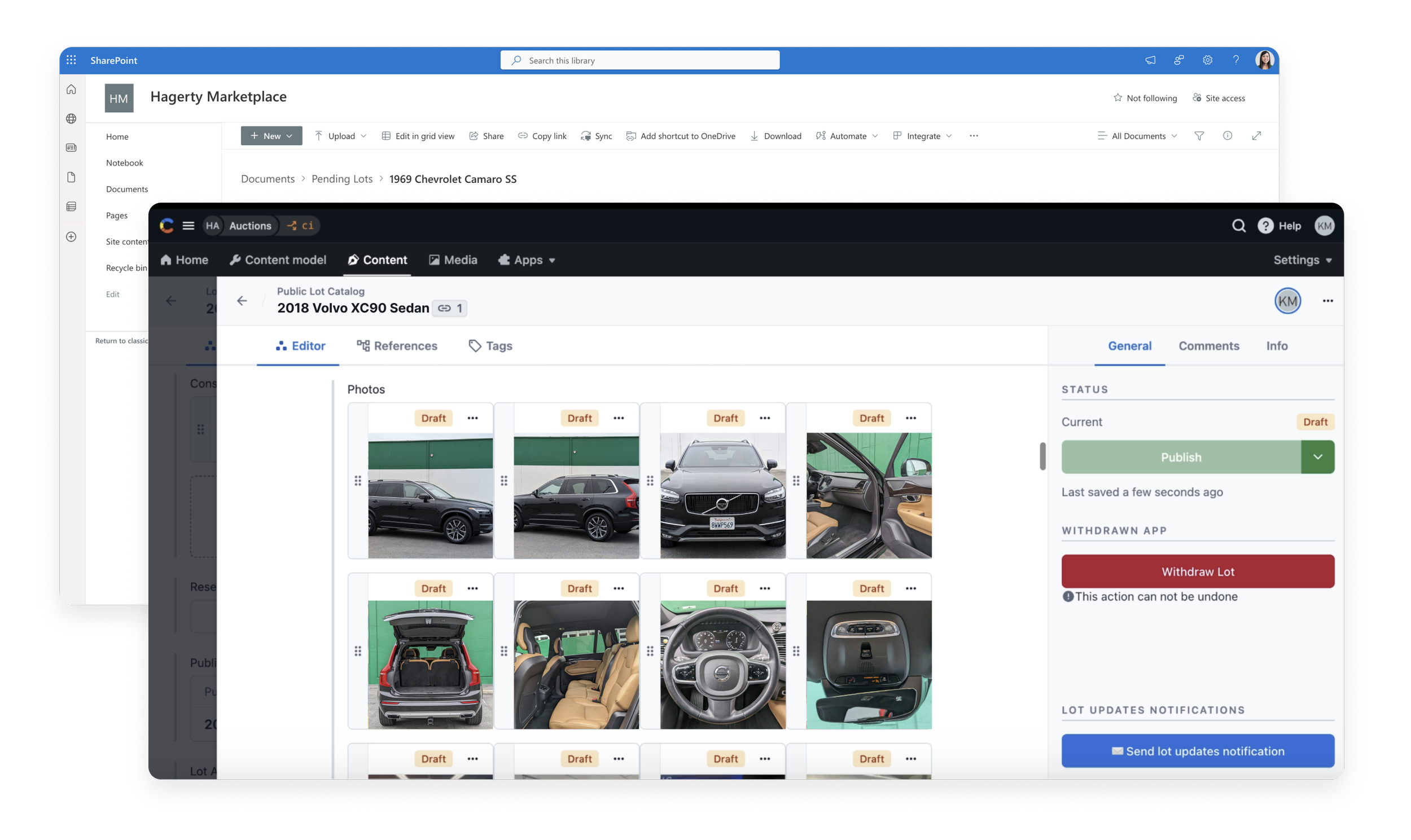
Key Contentful frictions:
20 file upload limit
No multi-select capability
Manual tagging required to assign photos to a vehicle
Only one image could be reordered at a time
These tools made photo management a consistent bottleneck to getting auction inventory live.
Understanding the operations workflow and defining requirements
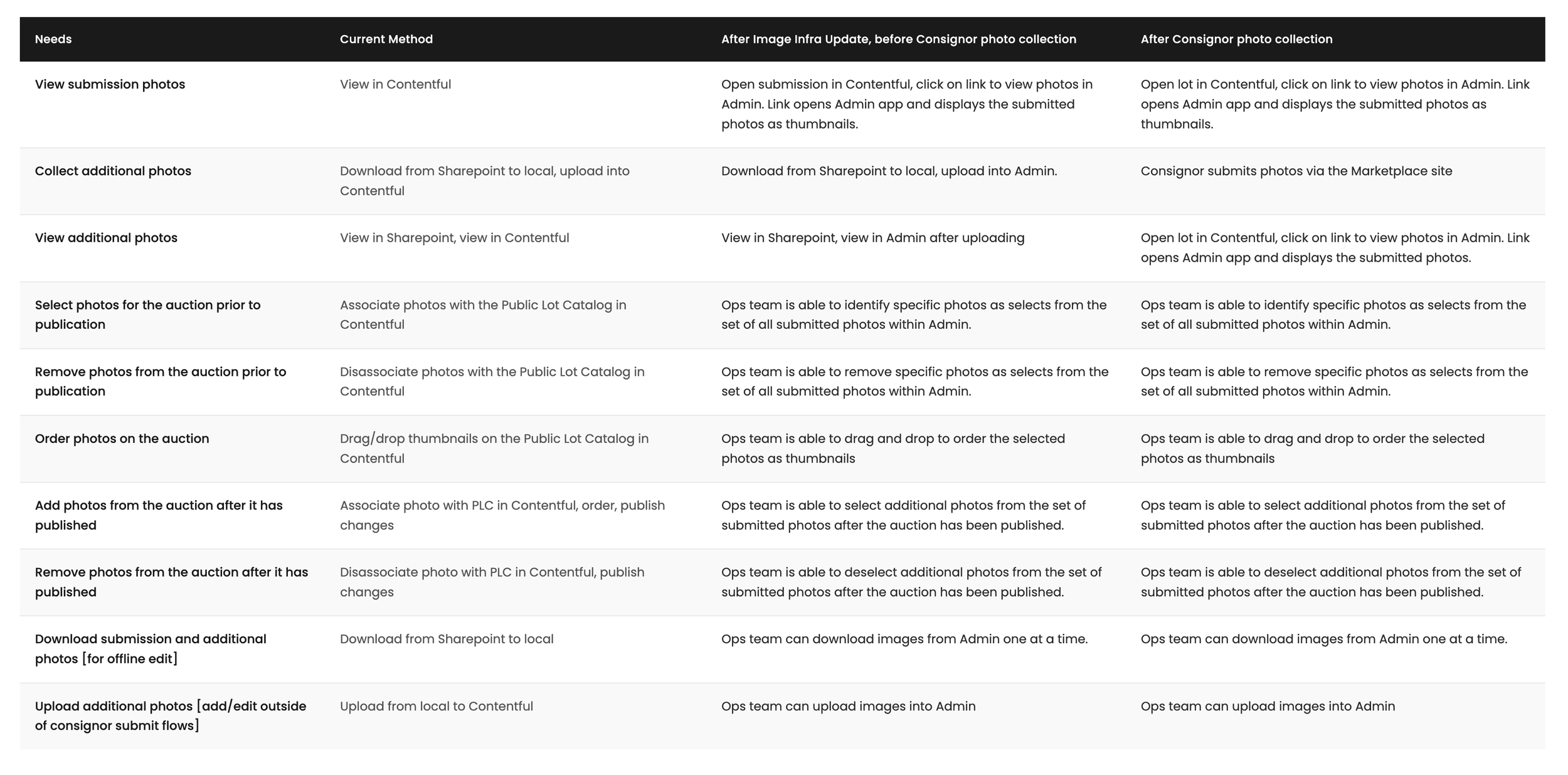
Along with the product manager, I consulted the operations team to understand their workflow and pain points. We documented their needs against the current process across each phase of photo management, which became the foundation for defining the tool’s requirements.
This informed a set of design principles:
Mirror familiar file management UX patterns
Support the varying ways different team members work
Prioritize auctions-specific needs that standard tools could not address
Exploring existing tools to establish a baseline
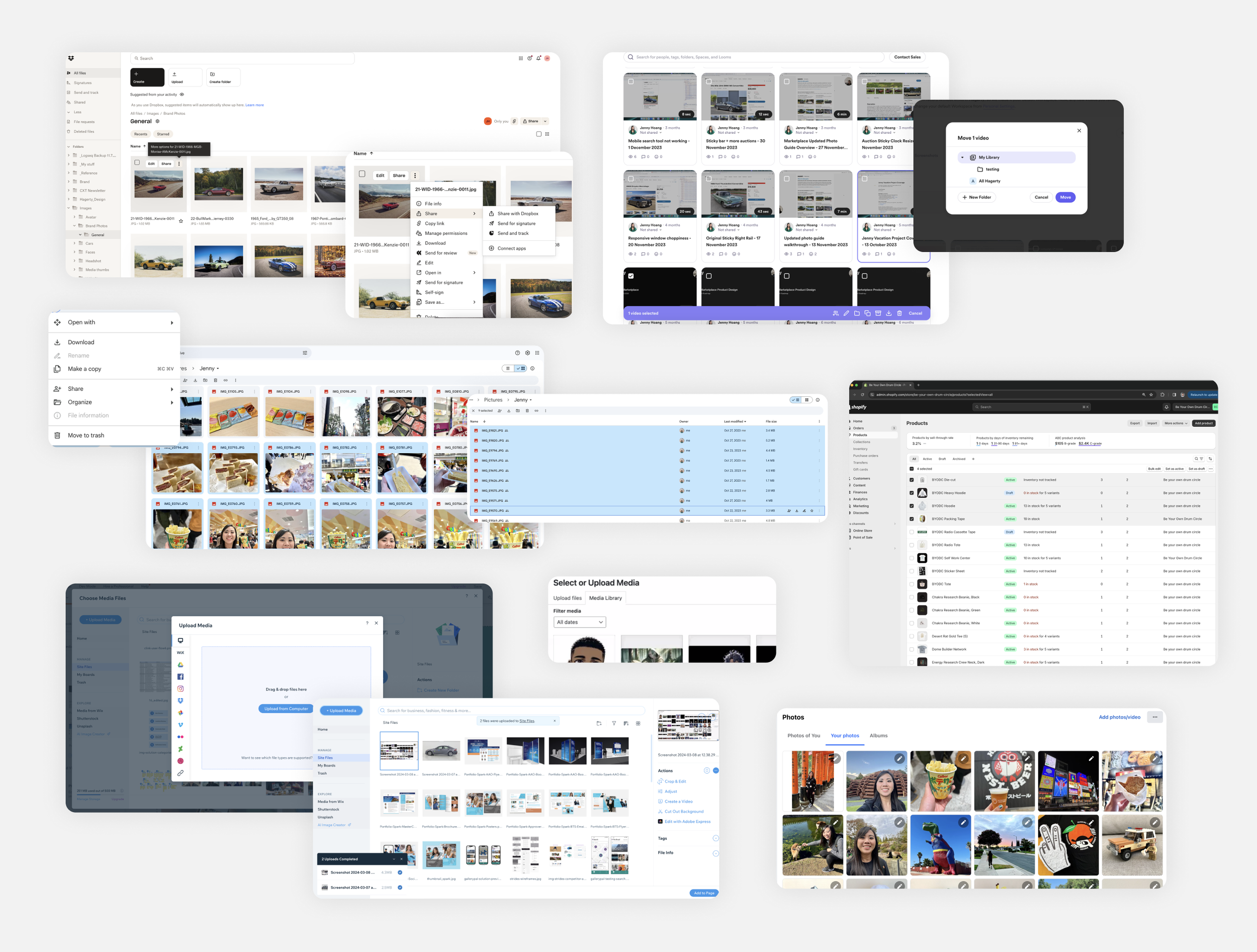
Before exploring solutions, I audited established file management tools/features including Dropbox, Google Drive, Loom, Shopify, and WordPress to identify common UX patterns. Four patterns stood out as essential to carry forward:
Context menus surfaced at multiple touchpoints
Folder-based organization
Batch selection and management
Drag-and-drop reordering
These became the baseline requirements which would ensure that the tool would feel intuitive and reduce the learning curve for quick adoption.
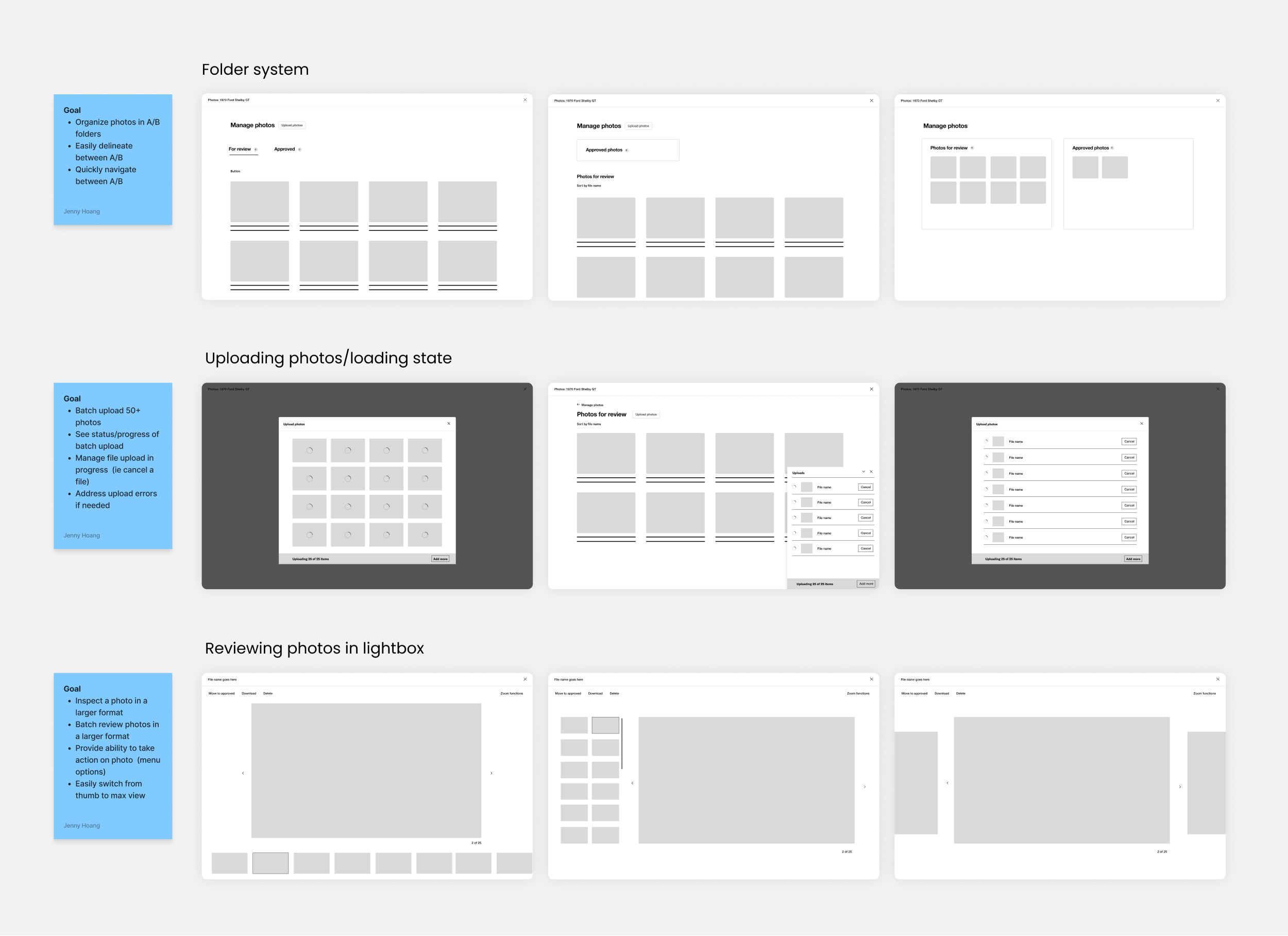
The design solution, decision by decision
The design went beyond standard file management to accommodate the specific logic of the auctions workflow.
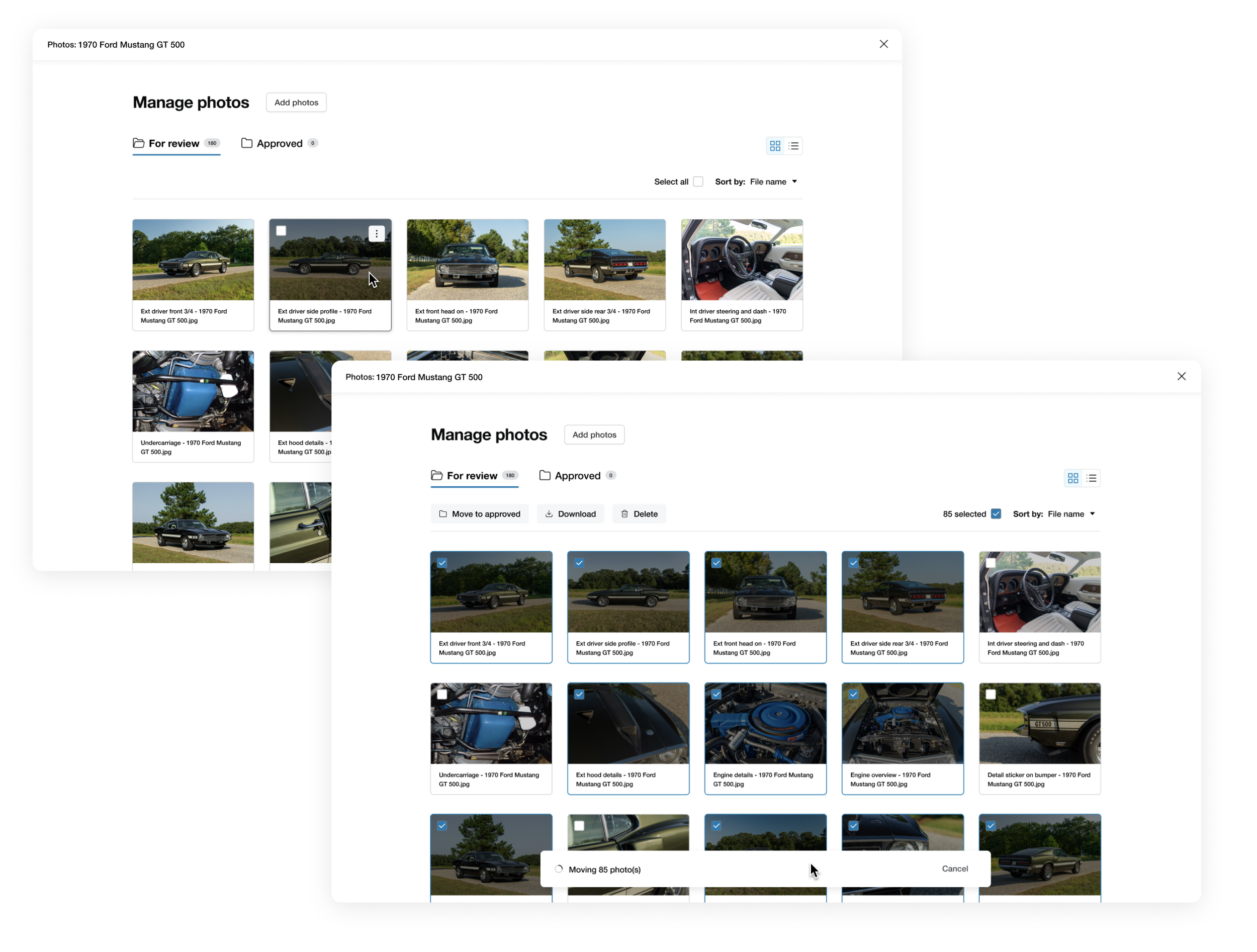
A two-folder system was chosen over tagging because each stage carries distinct rules: the “For review” folder restricts reordering while the “Approved” folder enables it but prevents deletion.
Bulk reordering with explicit selection states and a visual drop indicator so the team always knew what images were selected and where they were going.
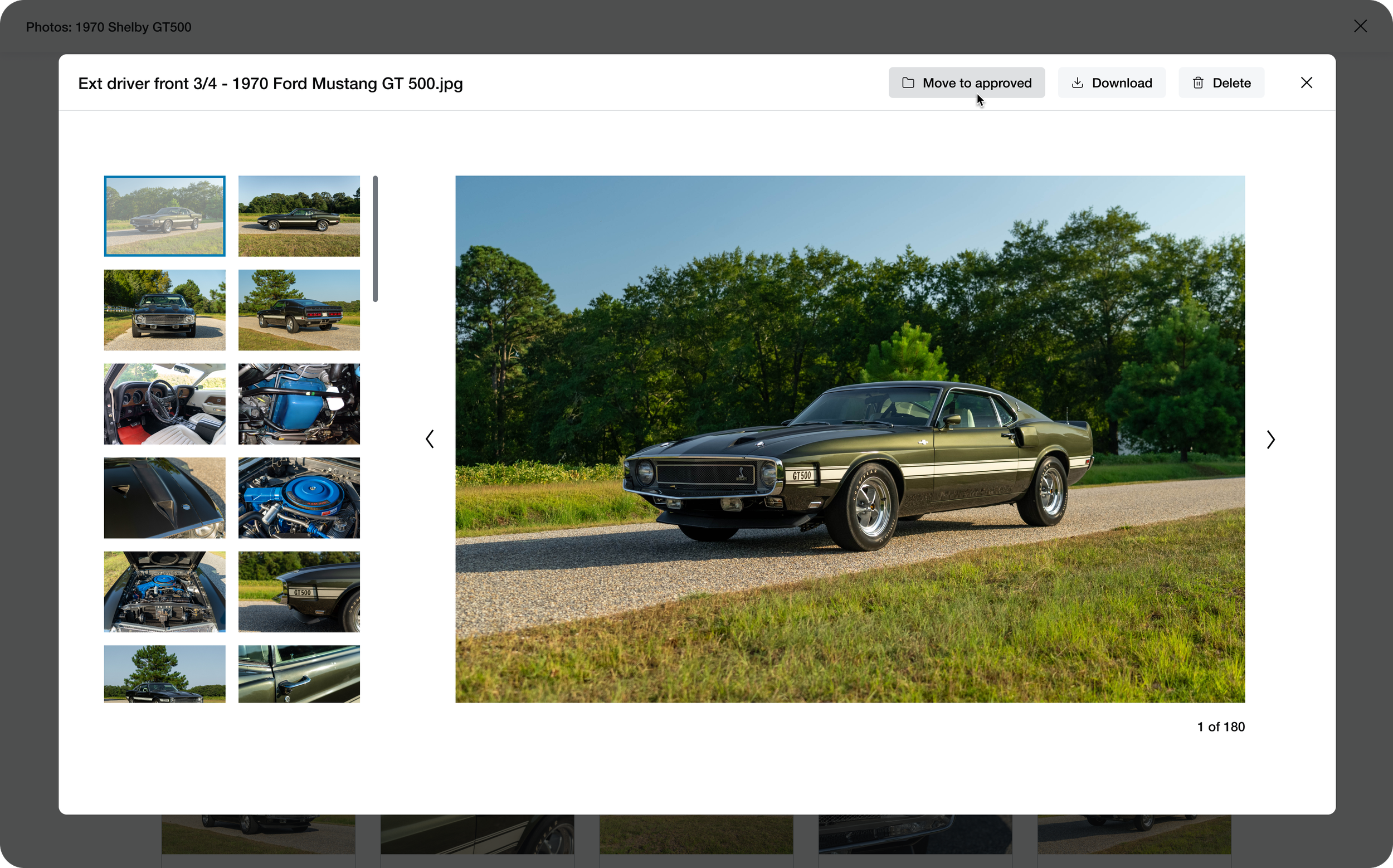
Key actions were surfaced at multiple touchpoints: the main menu, card level, and media lightbox to accommodate varying working styles.

Feedback loops and internal testing with operations
Throughout design and development, I worked closely with the product manager to gather ongoing feedback from the operations team, ensuring the solutions directly addressed the frictions we identified together during requirements gathering.
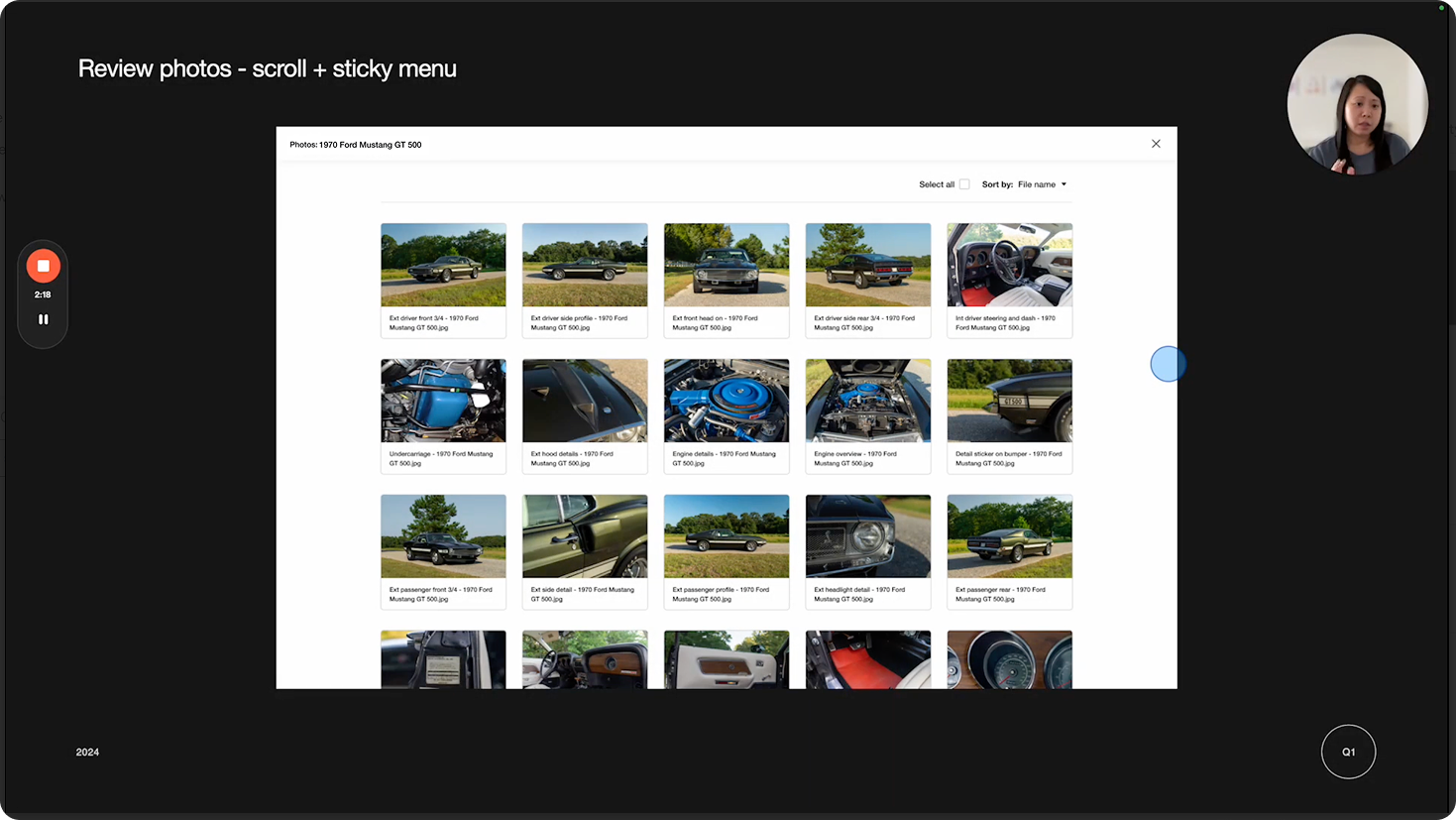
In the early development stages, the team tested an internal beta, giving us both qualitative feedback on the experience and quantitative data in timing their efficiency against the old workflow to measure real improvement.
“You took the most miserable part of our job and made it an absolute pleasure.”
- Operations team member
Results and next steps
By consolidating the photo management workflow natively into the product, the tool saved approximately 100 hours per quarter in operational time — a 70% reduction in processing time per auction. Freeing the ops team from manual work and hopping between tools means auctions go live faster, which directly supports inventory growth and revenue.
Next steps:
We also extended the tool to the consignor-facing submission flow, eliminating Sharepoint entirely and giving sellers a native photo upload experience within the product.
Additional features to further increase processing efficiency: crop/rotate images, add vehicle collection watermark, and categorization of images.
70%
reduction in photo processing time per auction
100 hours
of work time saved per quarter in operational workflow